Powered by AI

Your Personal
Knowledge Assistant

Sage lives in your system tray, ready to store your thoughts and recall them instantly. Use local models or your own API key — your data, your choice.
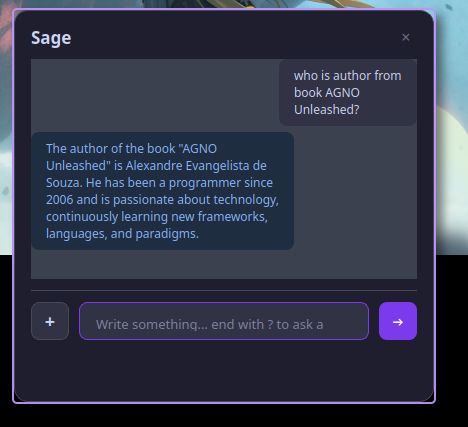
Sage chat interface

Everything you need to
remember everything

Sage combines the simplicity of a note-taker with the intelligence of an AI assistant.

Instant Access

Lives in your system tray — one click and Sage is ready. No windows to manage, no apps to switch to.

AI-Powered Recall

Ask questions about your saved knowledge and get intelligent answers. Sage understands context, not just keywords.

Private & Local

Your data stays on your machine in a local SQLite database. No cloud sync, no tracking — it's your knowledge.

Natural Input

Just type naturally. End with ? to ask, or type anything to save it as a memory.

Chat Interface

Clean chat-bubble UI that feels like messaging a friend. Your conversation history is always visible.

Bring Your Own Model

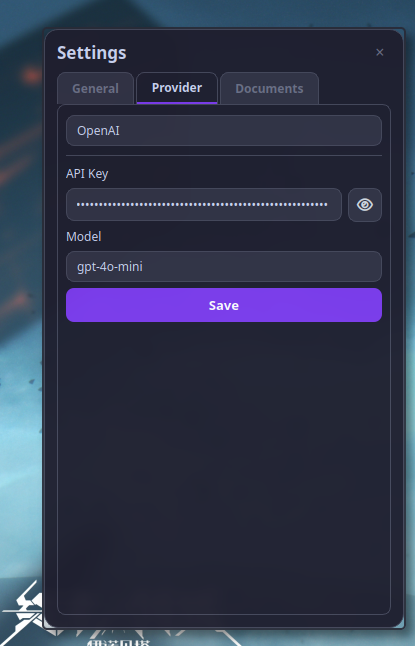
Use local models via Ollama, LM Studio or vLLM — or plug in your own OpenAI API key. You choose.

Your model, your rules

Sage doesn't lock you into a single provider. Run local models for full privacy or use your own API key — you're always in control.

Local Models

Run AI entirely on your machine. Zero data leaves your device — maximum privacy.

Ollama LM Studio vLLM Llama Mistral Gemma

Your Own API Key

Bring your OpenAI key for access to GPT-4o, GPT-4o-mini and other powerful models.

OpenAI GPT-4o GPT-4o-mini

Switch providers anytime in Settings — no restart required.

Simple as 1-2-3

No complex setup. No learning curve.

1

Type anything

Click the tray icon and type a thought, a fact, a reminder — anything worth remembering.

2

Sage saves it

Your knowledge is stored locally and indexed by AI for intelligent retrieval later.

3

Ask anytime

End your message with ? and Sage will answer based on everything it knows.

Download for your platform

Available for macOS, Windows and Linux.

macOS

.dmg — Intel & Apple Silicon

Windows

.exe — Windows 10+

Linux

.AppImage — x86_64

All platforms included in every download (macOS, Windows, Linux).

macOS: allow the app to run

Since Sage is not distributed via the App Store, macOS may block the first launch. Go to System Settings → Privacy & Security and click "Open Anyway" next to the Sage message. You only need to do this once.

See Sage in action

A clean, minimal interface that stays out of your way.

Sage - AI chat interface

AI-powered chat

Sage - Provider settings

Multi-provider settings

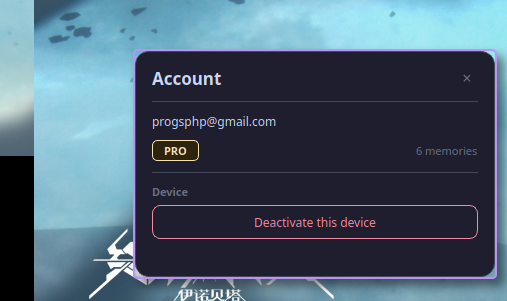
Sage - Account management

Account & license

Simple pricing

Start free, upgrade when you need more.

Free

$0
  • Up to 500 saved memories
  • AI-powered search
  • Local storage
  • System tray widget
Download Free
RECOMMENDED

Pro

$5

one-time payment

  • Unlimited memories
  • AI-powered search
  • Local storage
  • Priority support
  • Future updates included
Get Pro — $5

Ready to remember
everything?

Join hundreds of users who trust Sage to be their personal knowledge assistant.

Get Sage Now